

Ever since SeatGuru was put to pasture, AeroLOPA has been our go-to tool to pick the best seat on the plane, with some seriously detailed and beautiful seat maps for airlines all around the world.
It just got much better. A pair of recent updates to this free website now:
- Allow users to search for their specific flights and pull up the correct seat map, rather than heading to the website and picking the exact model of a Boeing 777 or Airbus A330-300 they’ll be flying on
- Some color-coding to help steer you toward the best seats on each plane … and which ones to avoid at all costs.
Both of these were hallmarks of SeatGuru that really set that platform apart – and major shortcomings of AeroLOPA that made it somewhat niche: best for advanced travelers who know all about different aircraft types – and less so for the occasional flyer who just wants to make sure they get a seat that reclines. The one hitch? You have to create a (free) account and log in to get this functionality.
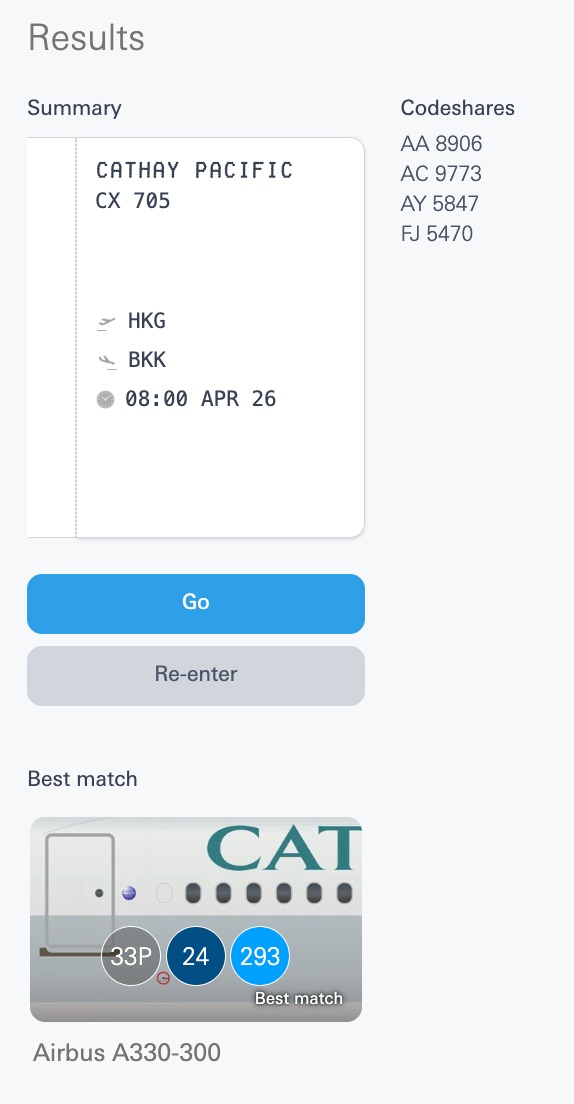
But once you’re logged in, you should see this “Search by your flight details” interface. It’s a bit wonky – and you’ll need to know your flight number – but it gets the job done. For example, I’ve got a Cathay Pacific flight within Southeast Asia coming up soon.
Previously, you’d need to pin down your plane type beforehand, then weed through Cathay’s fleet options on AeroLOPA’s catalog and pick the right one. Now, AeroLOPA automatically pulls up the best match for my flight with a click.
From there, toggle on “Seat Recommendations” at the top of the seat map, and you’ll see some color-coded suggestions appear. For example, AeroLOPA highlights the fact that seats 46A and 46K don’t have windows, period. I’ll intentionally avoid those. Meanwhile, the entirety of row 43 is yellow – AeroLOPA’s sign to “be aware” – because while they have extra legroom at the bulkhead, the proximity to lavatories, galleys, and bassinets could be bothersome.
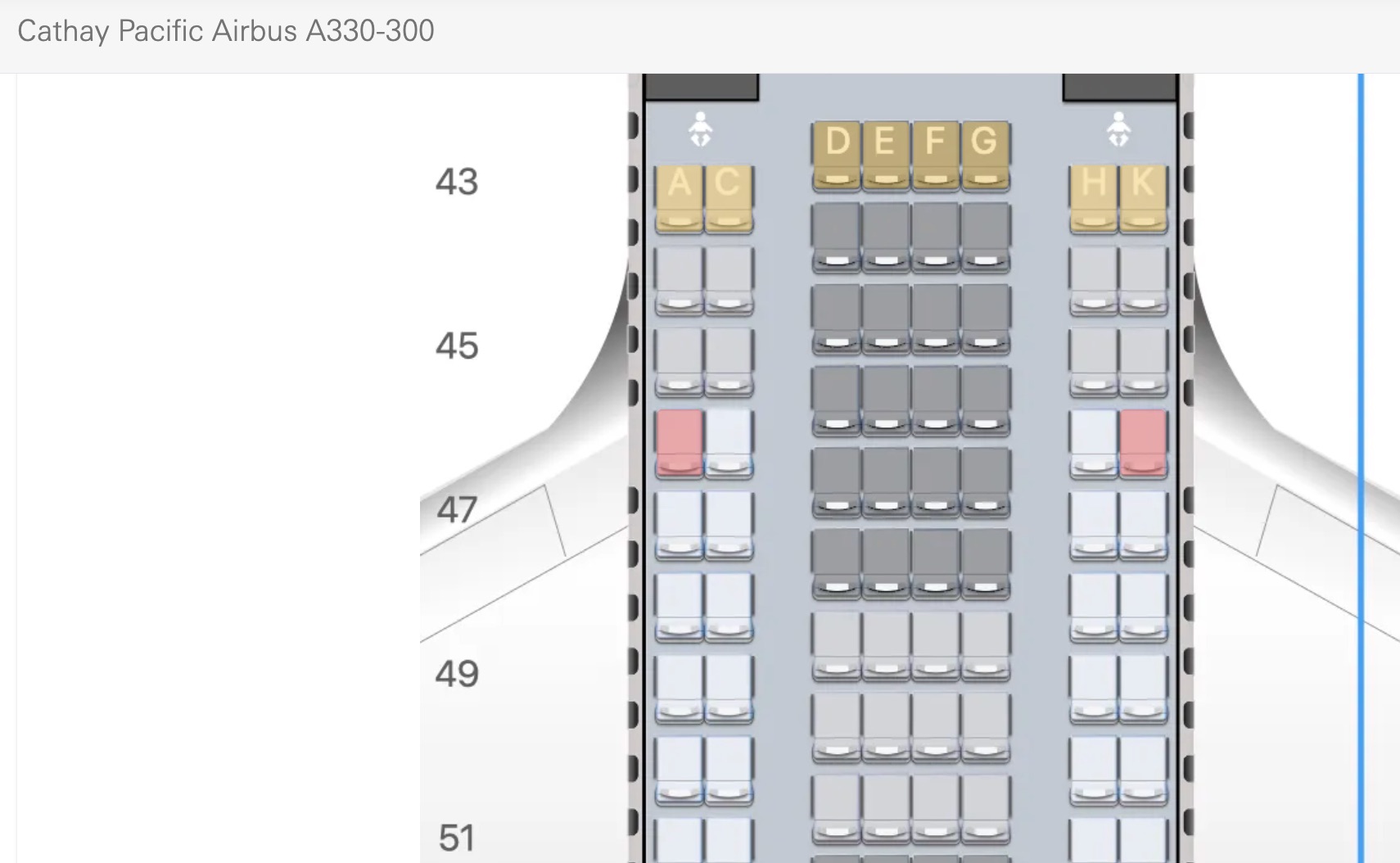
These color-coded recommendations and warnings aren’t perfect, but they do make it much easier to spot potential issues, such as misaligned windows or seats without recline. Previously, you’d need to really study each seat map and check the window alignment at every seat.
These user-friendly features are what SeatGuru did so well, so it’s great to see AeroLOPA incorporate them. They’ve been on our wishlist ever since this tool hit the scene.
But AeroLOPA has gone not one but two steps further:
- Any time you search for a flight while logged in, it gets saved under “My Flights” so you can easily reference your seat map again
- And you can also opt in for email alerts when the aircraft for your flight is formally assigned … or more importantly, if your aircraft is changed.
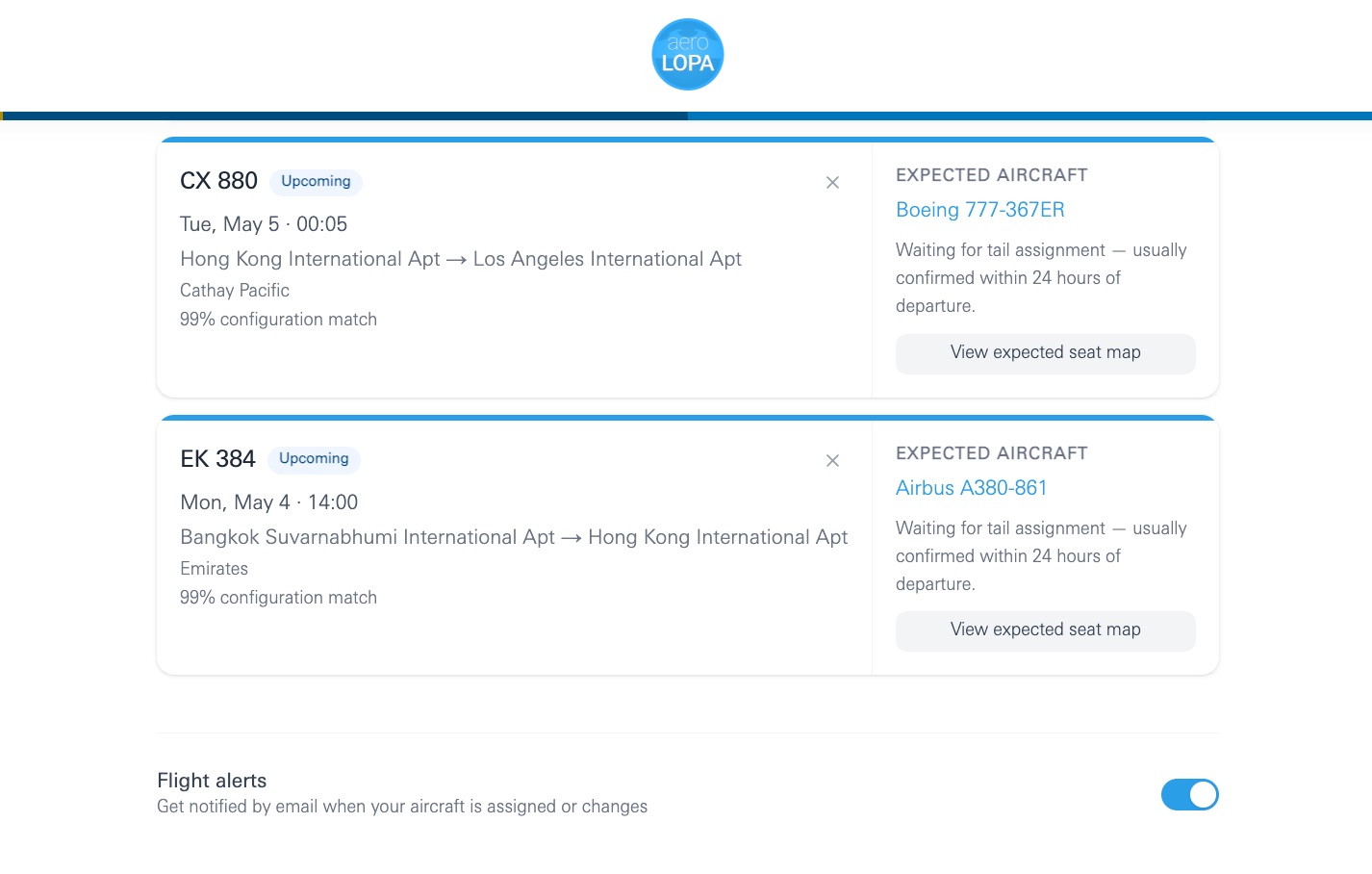
I haven’t yet had an alert come through, so I’ll have to report back on that. But these are some seriously impressive, user-friendly features for a free account.
Bottom Line
AeroLOPA hit the scene a few years ago as a powerful tool to scope out seat maps for your flights, but it was probably best for ultra-frequent flyers (like yours truly) to nerd out. The addition of flight search and color-coded recommendations makes it a must-use tool for practically everyone.

What Savvy Travelers Read Every Morning
Get the Extra Mile newsletter for the latest travel news, points & miles strategies, and everything you need to know to travel smarter and spend less.
